Delete your account in the app
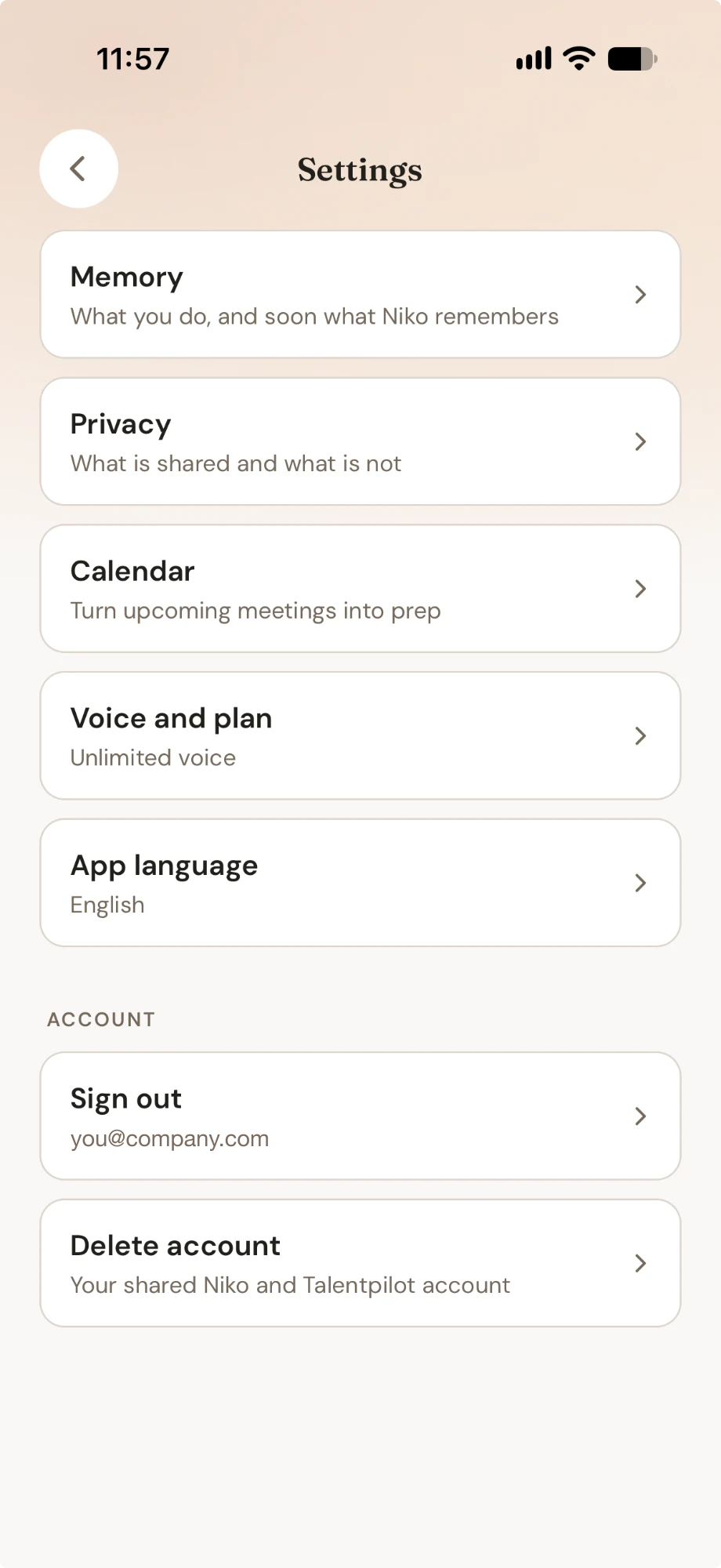
You can delete your account directly in the Niko app:
- Open Niko, tap the menu and choose Settings.
- Tap Delete account.
- Confirm with Delete account.

What happens next
Niko and Talentpilot share one account. Deleting it signs you out and ends your access to both straight away.
Within 20 days we delete:
- your profile and account
- your conversations with Niko, including transcripts and voice recordings, also the copies held by our voice provider, ElevenLabs
- summaries of your conversations
- your calendar connection
- your practice results
- files and feedback you sent us
What we keep: if you paid for Niko, your billing and payment records, for as long as accounting and tax law requires. If there is a legal dispute, we keep the records we need for it until the legal time limit ends. We do not keep your conversations, recordings or coaching data.
If your employer gave you access: some records you created while working with your team, for example things you shared with your company, are your company's data. Your company decides what happens to them. Ask your employer or write to dpo@talentpilot.com.
No access to the app?
Email dpo@talentpilot.com from the address you use with Niko and we will delete your account for you. If you used Apple's Hide My Email, include your private relay address ending in @privaterelay.appleid.com.
For more on how we handle your data, see our Privacy Policy.